
TikTok Video Downloader
TikTok video Download instantly in HD quality without watermark, no login required, super fast, free, and easy to use online.
Recent Downloads
Why Choose Tok 4kDown?
Truly Free
No hidden fees, no premium tier, no card required. Every download is free, every time.
No Watermark
We fetch the source file before TikTok stamps its logo on it. What you save is clean.
No Login Needed
Skip the sign-up form. Paste a link and download — that's the whole process.
Fast Servers
Our backend resolves most links in under 5 seconds, even on mobile data.
Original Quality
Nothing gets compressed or resized. You get the same file the creator uploaded.
Works Everywhere
iPhone, Android, Windows, Mac, or Chromebook — the tool runs the same in any browser.
How to TikTok Video Download in 3 Steps
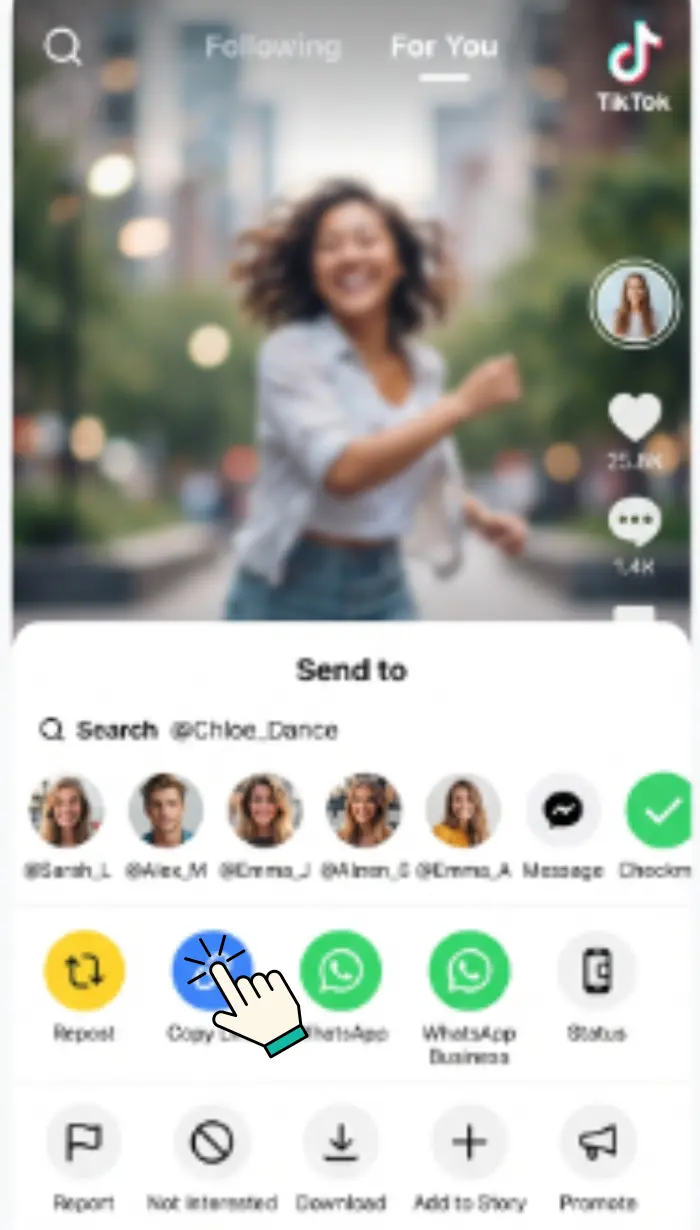
Copy the Link
Open TikTok, find the video, tap Share, then Copy Link. On desktop, copy the URL from your browser's address bar.
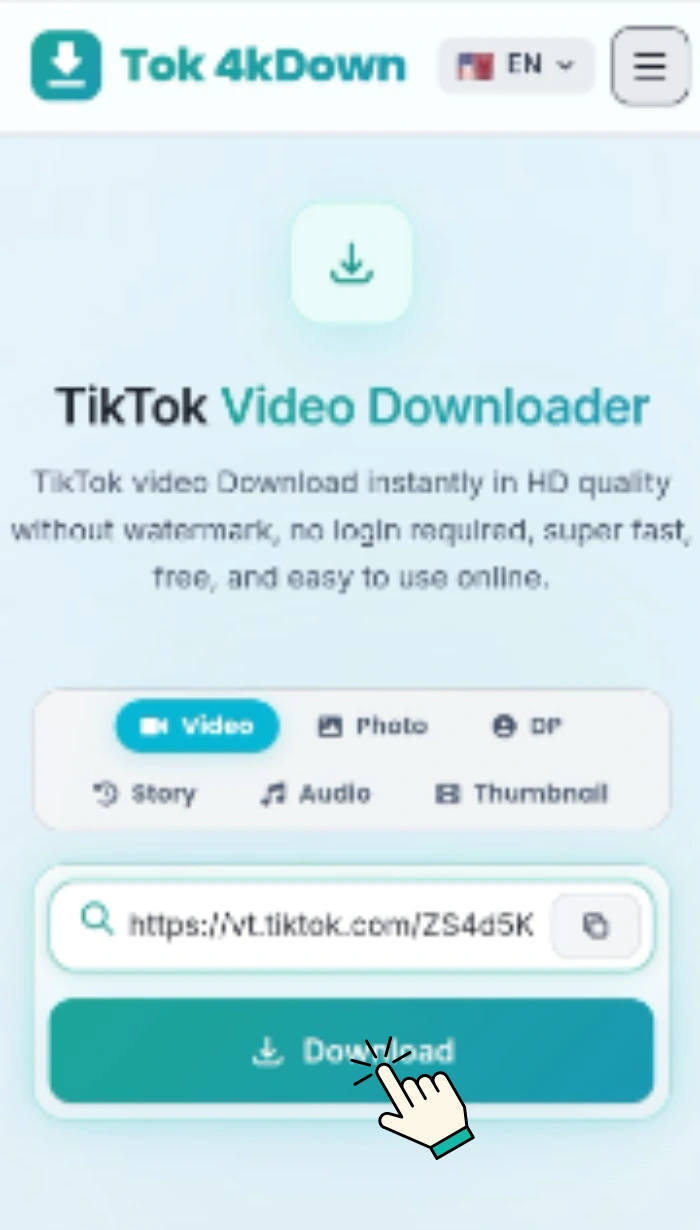
Paste it Here
Drop the link into the box at the top of this page and tap Download Now. The tool fetches your file in seconds.
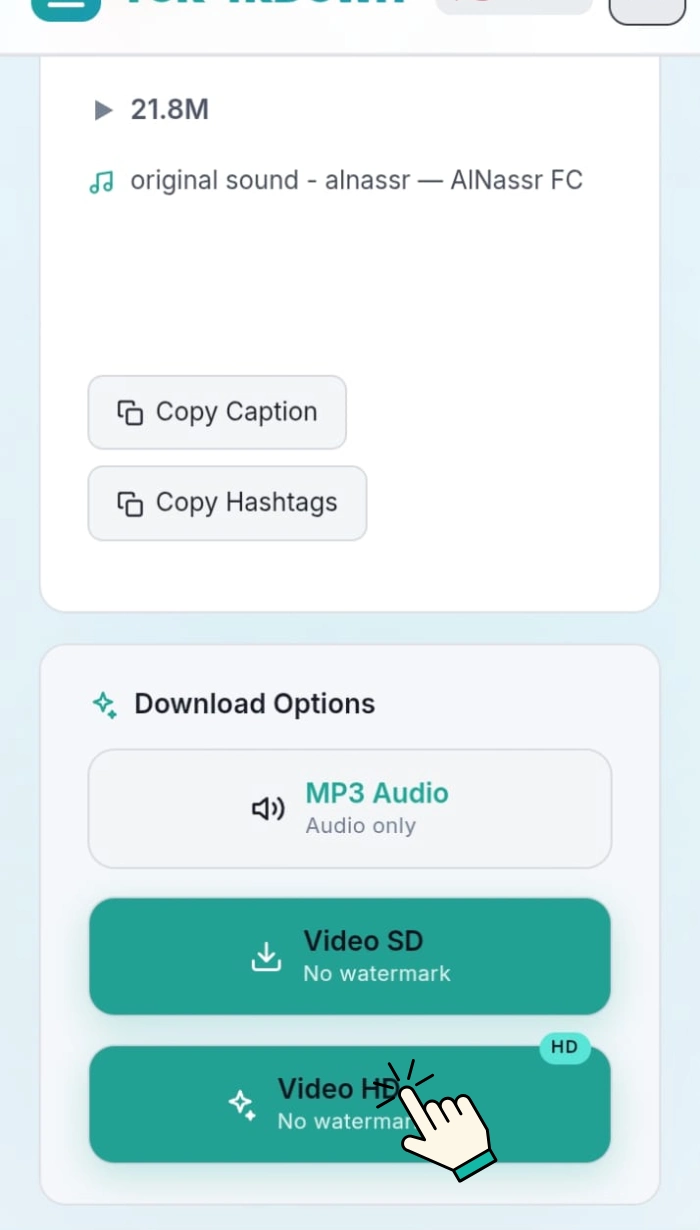
Save the File
Preview the clip, then tap Download Video HD to save it in its original quality directly to your device.
Feature Breakdown
Instant Link Resolver
Paste any TikTok URL and our tool instantly detects the original video source within seconds — faster, smoother, and more efficient.
Watermark-Free Output
Videos come directly from the original source with no TikTok watermark — clean and professional, ready for sharing or editing.
Video Preview Before Saving
Every result includes an instant preview so you can confirm it's the correct clip before downloading — no accidental saves.
Photo Mode Support
TikTok slideshow and photo posts are fully supported. Our tool captures the entire photo set exactly as originally posted.
Cover Image Download
Download the video's cover thumbnail as a high-quality JPEG — ideal for blog thumbnails, playlists, or creative projects.
No File Storage
We don't store files on our servers. All downloads stream directly to your device for maximum privacy and speed.
Supported TikTok Content Types
Standard Videos
Any single-clip TikTok post, from a few seconds to a few minutes long.
Photo Slideshows
Multi-image posts with music. Each photo saves individually in full resolution.
Duets and Stitches
Split-screen and reaction formats download as one combined file, exactly as posted.
Story Reposts
Public TikTok Stories that creators choose to keep visible longer than 24 hours.
Sound-Only Clips
Audio-focused posts still download with the original sound track attached.
Direct File Links
Get the raw file URL instantly — usable in download managers or automation scripts.
Why People Download TikTok Videos
Six real reasons creators, marketers, and everyday viewers reach for a downloader.
Protecting Their Own Content
Creators sometimes lose access to uploads when accounts are flagged or deleted. A local copy keeps their work safe.
Reposting on Other Apps
TikTok links often don't display properly on Instagram, X, or WhatsApp. Downloaded videos share cleanly across every app.
Working Without Internet
A saved video can be watched anytime offline on a plane, underground, or anywhere with a weak signal.
Studying Trends
Marketers and researchers save viral videos to analyse patterns. Since posts can disappear anytime, a local copy prevents losing access.
Editing and Remixing
Editors need original files for high-quality edits. Downloads enable smooth trimming and remixing without screen-recording workarounds.
Saving Personal Moments
Public videos from events like concerts or trips hold personal value. Downloading ensures memories stay accessible even if the post is removed.
Download on Any Device
iPhone / iPad
Paste the link and tap Download Now → tap Download Video HD → choose Save to Files or Save Video. Find it in Photos or the Files app.
Windows / Mac
Paste the link and click Download Now → click Download Video HD. The MP4 saves to your Downloads folder. Open with VLC, QuickTime, or your default player.
Nothing to install. Nothing to configure. The tool lives entirely in your browser.
Your Privacy Is Non-Negotiable
URLs Deleted Immediately
The TikTok link you submit is used once, then discarded. No database entry, no log.
No Tracking, No Profiling
We don't know which videos you download. We don't build a user profile from your requests.
Zero Registration, Zero Profile
Because you never create an account, there is no profile to breach or sell.
Files Gone After Delivery
Videos are streamed directly to your browser and released from our servers immediately.
Troubleshooting Common Issues
Quick fixes for the most frequent download problems.
"Link could not be resolved"
The video is likely private, deleted, or region-restricted. Try the link in a private browser window — if it doesn't load there, the tool can't access it either.
Video won't save on iPhone
Long-press the video preview and tap "Save Video." Or use the HD download option and choose "Save to Files" to store it manually.
Downloaded file has no sound
Some TikTok videos use licensed audio that gets removed during download due to TikTok's copyright rules — not an issue with the downloader.
Download feels stuck or slow
Check your internet connection first. If it continues, copy the direct file link and open it in a download manager for a faster, stable transfer.
Wrong video appears
Make sure you're using a direct link to a specific video. Links to profiles, hashtags, or search results won't fetch the correct content.
Page won't load or button doesn't respond
Update your browser to Chrome 90+, Safari 15+, or Firefox 90+. Older browsers may block scripts, causing buttons to malfunction.
Who Uses Tok 4kDown
Content Creators
Backing up their own TikTok uploads ensures creators never lose videos if accounts get restricted or content removed unexpectedly.
Small Business Owners
Saving customer testimonials and mentions helps businesses repost valuable content across marketing channels with proper credit.
Teachers and Trainers
Using downloaded clips in lesson slides allows offline teaching without relying on internet access during presentations.
Social Media Managers
Archiving trending formats helps managers study content patterns and plan future campaigns based on proven viral strategies.
Journalists and Researchers
Keeping stable copies of public posts ensures important content stays available even if original videos are deleted.
Everyday Viewers
Saving favourite clips makes it easy to rewatch videos anytime without searching again or depending on TikTok links later.
Frequently asked questions
Is Tok 4kDown really free?
Yes, completely free to use — no subscription fees, no download limits, and no hidden paywalls for HD quality.
Do I need a TikTok account to download?
No. Simply paste the link of any public video and download it instantly without logging in or creating an account.
Will my download have a watermark?
No. Videos are fetched directly before TikTok applies any watermark, so you get a clean, logo-free file ready for use.
What resolution will I get?
You receive the original resolution uploaded by the creator — usually 720p or 1080p, depending on the source video quality.
Can I download private videos?
No. Only publicly accessible videos can be downloaded. Private, restricted, or login-required content cannot be processed.
Is there a daily download limit?
No. There are no daily limits — download as many videos as you want without restrictions or interruptions, anytime.
Can I extract just the audio from a TikTok video?
Yes. After pasting the link and clicking Download, an audio (MP3) option appears alongside the video download options.
What do I do if a download fails?
Check that the link points to a public video. Try copying the link again directly from the TikTok app, then paste it fresh into the tool.
More TikTok Download Tools
Every TikTok content type covered — pick the tool you need.
TikTok Audio Downloader
Extract the audio track from any TikTok video and save it as an MP3 file in seconds.
TikTok Photo Downloader
Download every image from TikTok photo carousels in full original resolution.
Profile Picture Downloader
Save any TikTok profile photo in high definition without cropping or compression.
TikTok Story Downloader
Download public TikTok Stories before they expire — fast and watermark-free.
TikTok Thumbnail Downloader
Grab the cover thumbnail from any TikTok video as a high-quality image.